Master Engineering · For technical production

Your calculations, certified.

For structural engineers, MEP, façade specialists, project architects. One brief, as many workers as it needs — one per element, per zone, per verification. The certified tool produces the number. Your engineer signs.

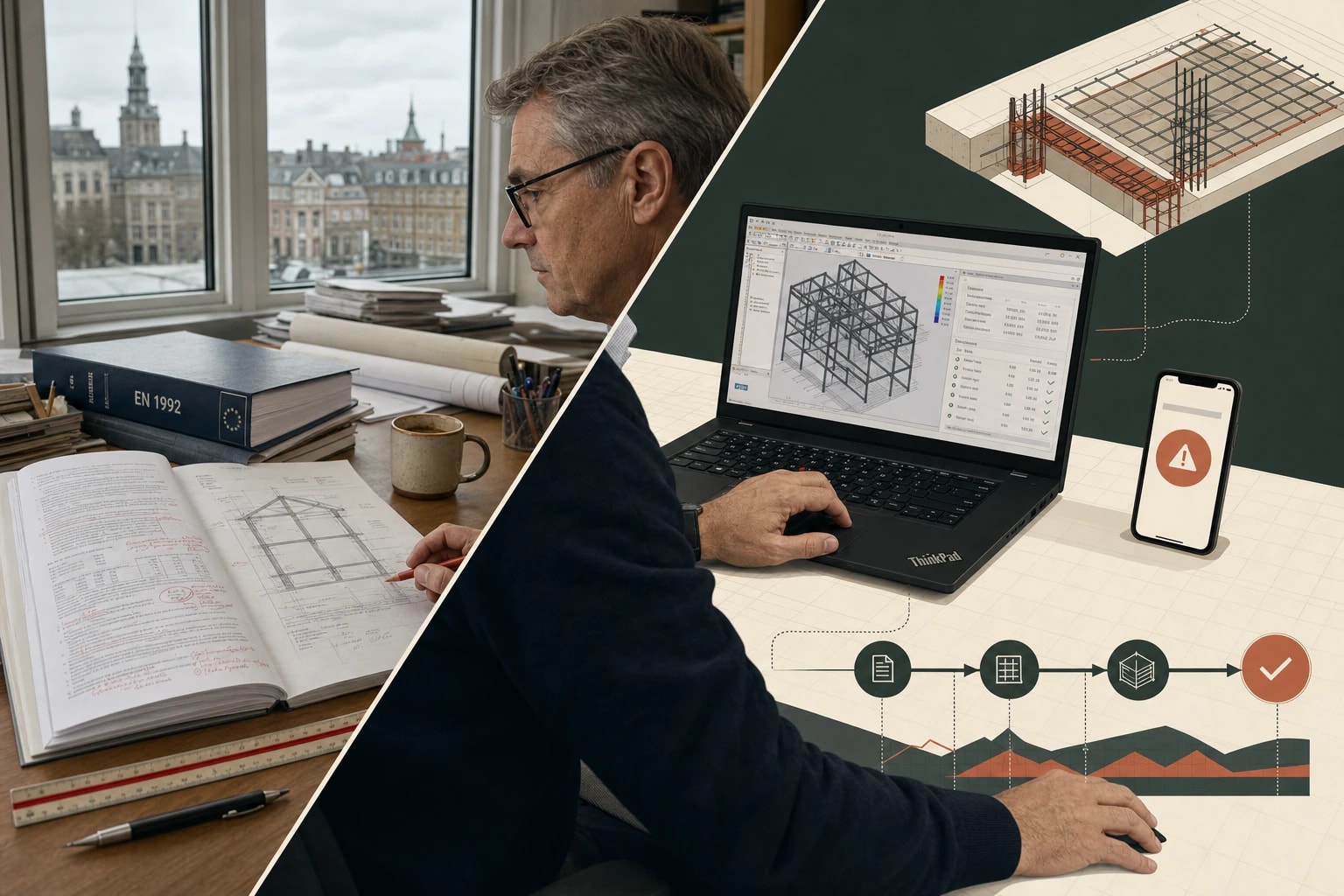
An engineer's workstation: hand-annotated calc note and Eurocode codex on the left, Vonbuild's Robot-driven certified output on the right

Left — the verification work your senior engineer does · Right — the Eurocode lineage Vonbuild ships

Who Master Engineering serves

Not just the structural engineer.

The senior engineer is the daily driver. But Master Engineering runs into every technical decision that needs Eurocode lineage — façade specs, MEP coordination, BIM audits, project-architect reports. Four roles converge on the same workforce.
Marketplace · Engineering extensions

Six patterns your firm builds.

Reusable capabilities your firm builds once. Workflows, knowledge packs, mini-apps, always-on agents, encoded processes. The six below are examples — your library grows from your protocols. DSI keeps the governance gate.
Workflow
6 wk → 5 days
EXT-ENG-01

Build the permit calc note

The signature workflow below. Drives Robot or ETABS via Computer Use. Browser/MCP infrastructure ships today; the Robot/ETABS extension is configured during your firm's onboarding.
Mini-app
1 day → 5 min
EXT-ENG-02

Run the punching shear check

EN 1992 §6.4 against your slab geometry and column reactions. Auto-coded on first request, registered to your firm's library after one validated run. Outputs vEd, vRd,c, verdict, clause citation.
Knowledge pack
always-loaded
EXT-ENG-03

Eurocode normative pack

EN 1990–1999 plus National Annexes — your firm's normative pack, built and curated by your engineers. The verifications your work cites, pre-loaded across projects.
Process
2 days → 2 hours
EXT-ENG-04

Senior peer-review protocol

Your firm's review checklist, encoded. Every junior calc note runs the house protocol before sign-off.
Agent
always-on
EXT-ENG-05

As-built drift watcher

Watches the project file for structural changes. Re-runs affected verifications. Flags new failures within hours.
Workflow
3 wk → 3 days
EXT-ENG-06

Run heritage retrofit feasibility

Reverse-engineers the existing structure from survey + photos. Lateral-load capacity, retrofit options, cost trade-offs.
Inside the app · Marketplace

Where your firm's engineering methods live.

Every verification protocol, every normative script, every auto-coded mini-app your team writes — versioned, audited, available to every engineer from day one. The retiring senior's expertise stays in the firm.

Extensions

Context
vonbuild·Org=design_officeFunc=engineering
Filters
Organisation:design_office×Function:engineering×Disable auto-filters
+ Filter
Clear all
Plugins9— groups skills + agents + commands
Legal & Contractspluginvonbuild

Construction contract analysis, claims management and legal risk assessment

7 / 26 workspaces· Legal
1 skill
Estimation & Costingpluginvonbuild

Construction estimation — DPGF/DQE/BOQ analysis, quantity validation and unit price comparison

Active everywhere· Sales
2 skill
Site Operationspluginvonbuild

Site supervision, defect tracking, daily reports and works acceptance

7 / 26 workspaces· Ops
1 skill
Planning & Orchestrationpluginvonbuild

Multi-agent orchestration — workspace scan, document classification and execution roadmap generation

10 / 26 workspaces· Plan
1 agent
Procurement & Subcontractingpluginvonbuild

Supplier management, invoice verification, subcontract tracking

3 / 26 workspaces· Proc
1 skill
Technical Directionpluginvonbuild

Technical feasibility, pre-construction studies, engineering review (Eurocode / DTU / SIA)

3 / 26 workspaces· Tech
1 skill
Skills7— not attached to a plugin
DTU StandardsskillvonbuildFR

DTU pitfalls — installation errors causing non-conformities and insurance claims.

9 / 26 workspaces
SIA StandardsskillvonbuildCH

SIA standards — Swiss federation of engineers and architects technical norms

5 / 26 workspaces
FIDIC Contractsskillvonbuild

Standard FIDIC contracts — Red, Yellow, Silver books for international construction

5 / 26 workspaces
CCAG TravauxskillvonbuildFR

CCAG general administrative clauses for public works in France

5 / 26 workspaces
MCP3
Revit 2027mcptenant

Autodesk Revit 2027 — BIM model querying, family extraction, clash detection via Computer Use.

0 / 26 workspaces
ERP 2027mcptenant

Sage / Cegid ERP 2027 — purchase orders, supplier ledgers, situation reports.

Active everywhere
HubSpotmcptenant

HubSpot CRM — deals, contacts, pipeline sync for the Sales tower.

0 / 26 workspaces
One pattern · The 200-page permit calc note

Build a permit calc note.

One pattern, many deliverables. Calc note today. Façade specification next. Retrofit feasibility the week after. Same workflow: drive the certified tool, extract the result, cite the clause, sign.
permit-calc-note-builder.workflow1,847 workers · RUNNING
01Model ingest
Pulls the FE model from your Robot, ETABS, or Revit file. Indexes geometry, materials, load combinations.
02Element census
Enumerates every beam, column, slab, joint, foundation to verify. 1,847 elements catalogued.
03Run verifications
Per-element Eurocode check inside Robot or ETABS. Punching shear. Second-order. Buckling. Deflection.
04Extract & cite
Stress, axial, moment, utilization per element. Exact Eurocode sub-clause cited.
05Note assembly
Full PDF note with diagrams, tables, summary matrix, engineer sign-off page. Building-authority-ready.
Consolidated output · 5 days end-to-end
200-page calc note · 1,847 verifications · full Eurocode citations · diagrams + tables · sign-off page · model file hash. Permit-ready.
1,847
Elements verified
5 days
vs. 6 weeks senior
100%
Eurocode-cited
Robot
Certified-software
Time stats are illustrative — industry benchmarks (Monograph 2025, Part3 2025) compressed by the workforce model. Not measured Vonbuild outcomes per project.
Live process · Engineering cascade

You consult Engineering. Five agents react. One verified design.

A revised structural drawing arrives. Master Engineering spawns five verification agents in parallel. Eurocode, DTU, deflection, materials, tolerance — all cross-checked, one verdict. Norm-update re-verification auto-scheduled.

Signal

A revised drawing arrives at 14:32.

Any source can fire it: a file dropped in OneDrive / Google Drive / any drive, an email landing in Outlook, a scheduled task firing, or you pressing a button. In this scenario, an event arrives via ONEDRIVE.

Source: ONEDRIVE · drawing-rev-D-structural.dwg
Routing

MASTER ENGINEERING routes.

It classifies the impact across 21 semantic categories and dispatches to the 5 specialized agents concerned. No human in the loop. No meeting scheduled.

5 specialized agents dispatched · 312 ms
Parallel reaction

5 specialized agents. In parallel.

Each agent accesses its own toolset — apps, browsers, MCP connectors, project documents and company knowledge — and produces a structured output. Concurrently, not sequentially.

AGENT
Calc Runner
EC3 ✓
beam check passed
AGENT
Standard Verifier
DTU 39 §4.2
compliance confirmed
AGENT
Drawing Analyzer
δ 12mm
deflection within tolerance
AGENT
Material Spec Checker
S420 OK
yield strength verified
AGENT
Tolerance Auditor
±2mm
dimensional tolerance met
5 outputs produced
Convergence

Outputs return. One narrative.

The 5 specialized agents return their outputs to MASTER ENGINEERING. It reconciles them into a single decision card.

1 reconciled decision
Validation

Handed to you. One click.

Master Engineering returns the verification. Calcs run, standards confirmed, deflection within tolerance, materials verified, dimensions OK. Full evidence chain. One trace ID. Drawing stamped, ready to issue.

3 min · signal → decision
Self-scheduled trigger

T+30 DAYS LATER. The system wakes itself up.

During the parallel phase, a agent scheduled a follow-up task on its own. T+30 DAYS LATER — without you, without a meeting, without a reminder email — MASTER ENGINEERING wakes itself, dispatches the right agent, and executes autonomously. You delegated the mental load.

T+3minT+30 DAYS LATER · auto-fired
Auto-fired · 0 human intervention
Sub-signature · The auto-coded mini-app

If the tool is missing, it builds the tool.

A niche normative requirement. A regional code no commercial software covers. A verification your firm has done on Excel for 20 years. The agent writes the calculator, tests it against reference cases, runs your project. The next time anyone needs it, the calculator's already in your firm's library.
01
Read the brief

Reads the PDF. Identifies the 34 glazing types.

The agent reads the façade PDF. Picks out the 34 glazing types — dimensions, position, exposure. Extracts the site climate: wind zone, terrain, altitude, snow. Determines the loads per panel.
02
Build the calculator

Writes it. Tests it. Validates it.

You hand it DTU 39 (or EN 13474). It writes the calculator — minimum thickness, allowable deflection, thermal check. Sandboxed run. Validated against 3 reference cases before it goes live on your project.
03
Run on the project

34 sizings in 3 minutes.

Calculator runs across all 34 panels. Per panel: composition, calculated vs allowable deflection, stress ratio, thermal check. 3 panels flagged for reinforcement. Corrected spec ready for the architect.
New extension auto-registered
EXT-ENG-AUTO-247 · type: mini-app · DTU 39 glazing sizer
The calculator just authored becomes a permanent extension in your firm's Marketplace. Versioned. Tested. Audited. Available to every engineer from this moment on. The next 34-glazing project starts at step 3 — the tool already exists. This is how senior expertise stops walking out the door.
Inside the app · Skill configuration

Configure once. Run on every project.

Define inputs, expected outputs, validation rules against reference cases, governance level. Junior runs the protocol with senior rigor. Captures the verification logic your senior engineer would otherwise re-explain on every project.

Extensions

Context
vonbuild·Org=design_officeFunc=engineering
Filters
Organisation:design_office×Function:engineering×Disable auto-filters
+ Filter
Clear all
Plugins9— groups skills + agents + commands
Legal & Contractspluginvonbuild

Construction contract analysis, claims management and legal risk assessment

7 / 26 workspaces· Legal
1 skill
Estimation & Costingpluginvonbuild

Construction estimation — DPGF/DQE/BOQ analysis, quantity validation and unit price comparison

Active everywhere· Sales
2 skill
Site Operationspluginvonbuild

Site supervision, defect tracking, daily reports and works acceptance

7 / 26 workspaces· Ops
1 skill
Planning & Orchestrationpluginvonbuild

Multi-agent orchestration — workspace scan, document classification and execution roadmap generation

10 / 26 workspaces· Plan
1 agent
Procurement & Subcontractingpluginvonbuild

Supplier management, invoice verification, subcontract tracking

3 / 26 workspaces· Proc
1 skill
Technical Directionpluginvonbuild

Technical feasibility, pre-construction studies, engineering review (Eurocode / DTU / SIA)

3 / 26 workspaces· Tech
1 skill
Skills7— not attached to a plugin
DTU StandardsskillvonbuildFR

DTU pitfalls — installation errors causing non-conformities and insurance claims.

9 / 26 workspaces
SIA StandardsskillvonbuildCH

SIA standards — Swiss federation of engineers and architects technical norms

5 / 26 workspaces
FIDIC Contractsskillvonbuild

Standard FIDIC contracts — Red, Yellow, Silver books for international construction

5 / 26 workspaces
CCAG TravauxskillvonbuildFR

CCAG general administrative clauses for public works in France

5 / 26 workspaces
MCP3
Revit 2027mcptenant

Autodesk Revit 2027 — BIM model querying, family extraction, clash detection via Computer Use.

0 / 26 workspaces
ERP 2027mcptenant

Sage / Cegid ERP 2027 — purchase orders, supplier ledgers, situation reports.

Active everywhere
HubSpotmcptenant

HubSpot CRM — deals, contacts, pipeline sync for the Sales tower.

0 / 26 workspaces
Specialization · The corpus

Built for the codes your calculations cite.

Pre-trained on the normative corpus and verification methods your work runs on. National Annexes included.
Normative codes
EN 1990 (Basis of design)EN 1991 (Actions)EN 1992 (Concrete)EN 1993 (Steel)EN 1994 (Composite)EN 1995 (Timber)EN 1996 (Masonry)EN 1997 (Geotechnical)EN 1998 (Seismic)DTU seriesSIA 260–267DIN 1045NF P seriesASCE 7
Verification methods
ULS / SLSLinear elastic FENon-linear pushoverP-delta second-orderPunching shearBuckling λ-barFatigue checkCrack-width controlEmbodied carbon (EN 15978)Modal analysisResponse spectrumTime-history analysis
A week with Master Engineering

What changes for engineers and architects.

Friday 9pm — the architect emails: revised loads on the 12th floor. The agent ingests them, spawns workers per affected element, drives Robot overnight. Saturday 7am the updated calc note is on your screen. Sign by lunch. Sunday off.
Input · Friday 9pm
Revised loads on 12th floor
34 affected columns · 8 beams
Output · Saturday 7am
Updated calc note. Every affected element re-verified in Robot. Eurocode lineage preserved.
Input · Permit submission
200-page calc note needed
EC2 / EC3 / EC7 · 1,200+ elements
Output · 5 days
Every Eurocode verification run in Robot/ETABS. Fully cited. Filing-ready for the building authority.
Input · Federated BIM model
Clash audit before site
12 disciplines · IFC + Revit
Output · Overnight
47 clashes flagged with priority. Affected trades identified. Variation orders avoided.
The bottleneck before every permit submission is no longer six weeks of senior engineering time. It's the five days you review the lineage Vonbuild produced.
Always on · Always aware

The project remembers itself.

Every drawing revision. Every load update. Every clash. Captured the moment it lands. Connected across the model. Ready for the next project review.
Project-centric · firm-aware on non-sensitive · sensitive stays gated
47 documents indexed
Ingestion processing 47 documents
Automatic capture

You don't upload. It sees.

Every drawing revision in your SharePoint. Every model file update. Every BIM coordination clash. Every load change. Captured the instant it lands. The project memory grows itself.
Hidden connections

Dots you can't see, joined.

A load change on the 12th floor. A column reinforcement on the 3rd. A façade panel re-spec. A foundation re-check. The system sees the chain. Ask anything across the model — get a sourced answer in seconds.
Team-shared

Your senior sees what the junior calculated.

MEP coordinator sees the structural model the BIM agent indexed. Façade specialist sees the loads the structural agent extracted. Same project memory, different views.
Liability-ready

The audit trail is built before the audit.

Years after Practical Completion, when the cladding fails, the file is there. Every input. Every output. Every software version. Every signature. Re-runnable in the same software. Nothing to reconstruct.
Working into the future · Self-scheduling
Visible in your Outlook · calendar "Vonbuild"

Schedule any task — once or recurring.

The same modal your engineer uses to schedule a model re-run is the engine the agent uses to schedule its own future work — autonomously, no prompt needed. Both surface in the same Outlook "Vonbuild" calendar. The agent watches the model file; you sign the calc note.
Option A · One-time
Option B · Recurring
Live demo · Computer Use on your stack

It drives the certified software. Not generates the number.

The agent opens Robot, ETABS, or SAP2000 and clicks through the verification exactly as your engineer would. The professional tool produces the result. Your signature still stands.
robot-structural.autodesk.com/projects/aldgate-tower/calc-batch
Worker · running
Element batch
Beams · 412 ✓
Columns · 247 / 312
Slabs · 96 ⏳
Joints · 814 ⏳
Foundations · 162 ⏳
Worker action — element_verifier
Verifying column C-247 — punching shear EN 1992 §6.4.4
elapsed 00:04 · est. remaining 00:42 (batch)
Verification result · C-247
VEd (axial)412 kN
vEd (shear stress)0.46 MPa
vRd,c (capacity)0.62 MPa
Utilization0.74 → OK
Clause citedEN 1992-1-1 §6.4.4(1)
Drives your existing professional stack
Robot StructuralETABSSAP2000RevitIDEA StatiCaSCIA EngineerPlus any software with MCP
Your software licences. Your model files. The agent operates them via browser or via MCP — including desktop tools like Revit that ship their own MCP servers. Tabular work happens in Vonbuild's built-in spreadsheet.
Mechanism · How it works

One brief. N elements. One certified note.

01
Decompose
The brief breaks into per-element verifications — every beam, column, slab, joint flagged for check.
02
Spawn workers
One worker per element. 1,847 elements, 1,847 workers. No queueing.
03
Drive software
Each worker opens Robot, ETABS, or SAP2000 in its own browser. The certified tool produces the number.
04
Consolidate
Per-element results extracted with the source clause cited. Assembled into a permit-ready calc note.
Master Engineering is not a generative AI. It does not produce numbers. It drives certified professional software via Computer Use — Robot, ETABS, SAP2000 — and extracts the results those tools produce. Same software, same number, same regulatory standing. Your signature still stands behind every one.
Four routes. One promise.

How the work actually gets done.

When the agent picks up a task, it works through these four routes in order. Whatever produces a real, verifiable result, ships. If nothing does, you hear back — never with a made-up number.
01
A tool that already exists

Reach for what's on the shelf.

Your firm has built this workflow before. Or Vonbuild ships it out of the box. The agent picks the right one and runs it — like your engineer reaching for a checklist they trust.
02
A tool the agent builds

Make the missing one.

Need a calculation nobody's done in your firm yet? Hand the agent the norm — EN 13474 for glazing, Eurocode 2 punching shear, RT2020 thermal. It builds the calculator, checks it against known cases, runs your project. Next project, that calculator's already in your firm's library.
03
A tool that talks back

Connect straight through.

Some of your software — Revit, a growing list of cloud tools — lets the agent connect directly, without going through screens. No clicking, no waiting. The cleanest route when it's available.
04
A tool the agent uses like you would

Click through, like an engineer would.

Everything else — Robot, ETABS, Coupa, Procore, your supplier portals. The agent logs in with your licence and works the interface exactly as your engineer or QS would. Same software, same result, same paper trail. None of your hours.
Or — you hear back, with the reason
No made-up numbers
When none of the four routes works, the agent tells you what it tried, where it stopped, and what would unblock it. It does not invent a number to fill the gap. The output on your screen is always a real result from a real tool — or there's no output.
Polycentric model

Engineering alone, or Engineering in concert.

Engineering leads (sole driver)
  • Permit calculation note
    Initiated by lead engineer, executed end-to-end.
  • FE model verification
    Standalone audit of an existing or imported model.
  • Embodied carbon report
    EN 15978 across the structure, autonomous.
Engineering supports another lead
  • Variation impact assessment
    Sales / Legal lead · Engineering verifies structural feasibility
  • Bid technical proposal
    Sales leads · Engineering writes the method statement
  • Site issue / RFI
    Operations leads · Engineering verifies the proposed repair
  • Procurement specification
    Procurement leads · Engineering specifies material grade
What this workforce guarantees

How is your AI doing the calculation?

It is not. Your certified professional software is doing the calculation. The workforce orchestrates the inputs and extracts the outputs. Your signature still goes on the note because the number still came from Robot, ETABS, or SAP2000 — exactly as if your engineer had clicked through manually.
Computer Use, not generation
Agents drive certified software in their own browser session. The professional tool produces every number the note cites.
Source clause citation
Every result tied to the exact Eurocode or DTU sub-clause that justifies the verification method. No probabilistic outputs.
Reproducible audit
Inputs, model file hash, software version, output saved per element. Re-runnable years later in the same software.
Senior signature, intact
Your PE / IngBau / SIA-registered engineer signs the same note they would have signed otherwise. The regulator sees the same artefact.
audit_trail.json
{
"element_id": "C-247",
"verification": "punching_shear_EN1992_6.4.4",
"model_file_hash": "sha256:9b22fa7e...",
"software": "Autodesk Robot Structural Analysis 2026.1",
"inputs": {
  "VEd_kN": 412,
  "u1_m": 3.2,
  "d_m": 0.28,
  "concrete_class": "C30/37"
},
"result": {
  "vEd_MPa": 0.46,
  "vRdc_MPa": 0.62,
  "utilization": 0.74,
  "verdict": "OK"
},
"clause_cited": "EN 1992-1-1 §6.4.4(1)",
"engineer_signoff": "pending",
"rerun_command": "robot --batch verify C-247"
}

Live demo · Audit trail

1,847 elements verified. Every worker traceable.

Master Engineering → per-element worker → certified Robot run → cited sub-clause. Re-runnable years after Practical Completion in the same software. When the façade fails in year 7, the file is there.
Conversation graph
Tick conversations to spawn or merge them.
0 selected
Merge 0 conversations
Into tower
Master
Legal
Sales
Technical
Operations
Procurement
Cancel
Live demo · Human-in-the-loop

The agent prepares. You sign.

Every calc note submission, every drawing release, every external send blocks for your explicit approval. Your PE / IngBau / SIA-registered engineer signs the artefact the regulator sees. The decennial liability stays with the engineer, not the AI.
Governance

Your calculation lineage is reproducible decades later.

Tenant-resident inside your existing Microsoft 365 or Google Workspace. Model files stay in your DMS. Software licences stay yours. Audit log preserves model hash, software version, inputs, output — re-runnable for liability defence years after the project closes. Project-scope extensions need DSI approval before tenant-wide promotion.

Full security and governance architecture →

Start with your most overdue calculation note.

The submission you've been pushing back. The 200-page note nobody wants to write. That's where it earns it.